
Yes, you can use a PopSocket or phone grip on a 3D embossed case — but the texture matters. Grip adhesives bond best to flat or gently textured surfaces, so a grip will stick reliably to a 3D case’s smooth back panel but may peel if placed directly on deep sculpted relief. The simple fix: position the grip on the flattest area, or choose a case with a built-in grip alternative.
Why Adhesives Struggle on Textured 3D Cases
PopSocket-style grips use a pressure-sensitive adhesive disc that needs continuous surface contact to hold. A deep 3D relief — like the tentacles on the 3D Cthulhu Phone Case — leaves gaps under the adhesive, reducing the bonded area and inviting dust and oil underneath. The result is a grip that wobbles and eventually falls off, usually within a few weeks of daily pocket use.
How to Make a Phone Grip Stick to a 3D Case
- Find the flattest zone — most 3D cases keep a smooth area near the center or bottom third.
- Clean with isopropyl alcohol — remove oils before applying; skip this and the grip will not last a day.
- Let it cure 24 hours — the adhesive reaches full strength overnight before you hang the phone from it.
- Avoid placing it over raised artwork — a grip on top of sculpted detail is a guaranteed fail.
Cases That Already Solve the Grip Problem
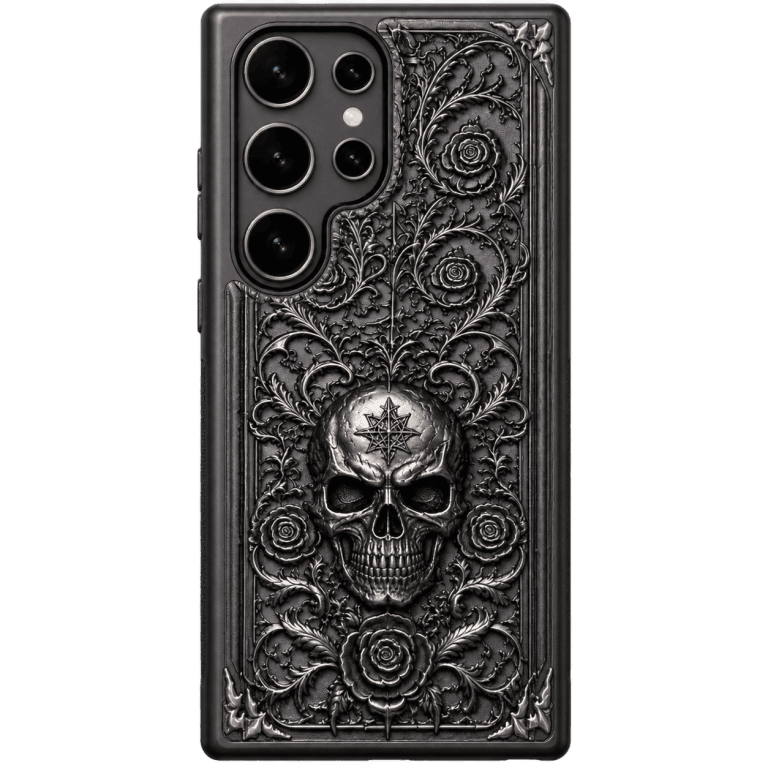
If you would rather not fight with adhesive, choose a case that builds grip and carry into the design. The Gothic Skull Magnetic Wallet Phone Case gives you a magnetic wallet that doubles as a handhold, while the Handmade 3D Textured Cthulhu Phone Case has enough sculpted surface texture that many people skip a separate grip entirely — the raised design itself improves hand-hold and drop resistance.
Does a Grip Even Work With MagSafe Cases?
If your case is MagSafe-compatible, you have a cleaner option: magnetic grips. Instead of adhesive, a MagSafe grip snaps to the case’s built-in magnet ring. That means no glue, no peeling, and no damage to the case’s artwork. It is one more reason CoolGiftly’s dark, gothic, and Cthulhu-inspired lineup pairs well with MagSafe accessories — you get the sculpted look without sacrificing grip options.
Do PopSockets and Grips Work With Wireless Charging?
Adhesive grips add one more complication: they sit right where a wireless charger wants to make contact. Most wireless chargers need the back of the phone to sit flush, so a raised PopSocket usually breaks the charging connection and forces you to remove it every time. MagSafe grips avoid this by snapping on and off in a second, which is why a MagSafe-compatible case is the cleaner route if you charge wirelessly. If you insist on an adhesive grip, place it low and be ready to pop it off for charging. It is one more reason a magnetic grip plus a MagSafe case beats glue on a sculpted, textured back.
If you do commit to an adhesive grip, buy one with a reusable gel pad instead of a permanent sticker. Gel grips can be rinsed, air-dried, and repositioned, which is far more forgiving on a textured surface than a one-shot adhesive. It also means a single mistake during application does not ruin the grip or leave residue caked into the relief of your case.
The Bottom Line
Adhesive grips work on 3D cases only when placed on a smooth area, and even then the textured surface shortens their lifespan. For a no-fuss solution, pick a MagSafe-compatible case and use a magnetic grip, or lean on a design that already offers a secure handhold.
Want sculpted style that stays grippy? Explore the 3D Cthulhu Phone Case or the Gothic Skull Magnetic Wallet Case — dark, tactile, and built to hold onto.